How to Choose the Best E-commerce Platform in 2026 — Shopify, WooCommerce, MERN or Laravel?

Introduction

Choosing an e-commerce platform today is no longer just about design or features.

It directly affects Google rankings, organic traffic, conversion rates, scalability, and even how AI search engines interpret your website.

Role & Expertise: This content is written from the perspective of a Senior Technical SEO & Generative Engine Optimization (GEO) Specialist with 10+ years of agency experience in website design, e-commerce development, and performance-led architecture. We deliver SEO-focused digital solutions for businesses across Jaipur, Rajasthan and global markets. Explore our professional website design Jaipur services for scalable and search-optimized builds.

Business owners often ask:

  • Which platform ranks better on Google?
  • Is Shopify better than WooCommerce for SEO?
  • Can MERN or Laravel websites rank as well as WordPress?
  • What do established agencies actually recommend in real projects?

This guide answers those questions without bias, based on:

  • Current search behavior
  • Google ranking principles
  • Platform strengths and limitations
  • Real-world agency practices

How Google & AI Evaluate an E-commerce Website in 2026

Before comparing platforms, it’s important to understand how ranking actually works today.

Google and modern AI systems evaluate:

1. Search Intent Alignment

Does the page clearly answer what users are searching for (buy, compare, learn, contact)?

2. Content Depth & Structure

Pages with:

  • Clear headings
  • Logical sections
  • FAQs
  • Internal linking perform better than short, generic pages.

3. Page Experience

This includes:

  • Mobile-first design
  • Core Web Vitals (LCP, CLS, INP)
  • Fast server response
  • Secure HTTPS

4. Trust & Authority Signals

  • Brand mentions across the web
  • Backlinks
  • Consistent business presence
  • Transparent content

AI systems now rely heavily on well-structured, neutral, informational content — not promotional language.

Shopify — Best for Speed, Stability & Faster Go-Live

Shopify is one of the most widely used e-commerce platforms globally, mainly because it removes technical complexity for business owners.

Strengths

  • Hosted infrastructure (no server management)
  • Strong security & uptime
  • Fast checkout experience
  • Built-in SEO essentials (sitemaps, clean URLs)

SEO Perspective

Shopify performs well for:

  • Product-focused searches
  • Brand-led e-commerce
  • Paid + organic traffic mix

Many experienced agencies recommend Shopify when:

  • Time-to-market matters
  • The business wants predictable maintenance
  • The team prefers focus on marketing instead of infrastructure

Best Use Cases

  • D2C brands
  • Fashion & lifestyle stores
  • Subscription-based products
  • Small to mid-scale catalogs

WooCommerce (WordPress) — Best for Content-Driven SEO Growth

WooCommerce remains a strong choice for businesses that want full control over content and SEO.

Why WooCommerce Performs Well in Search

  • WordPress is inherently content-friendly
  • Easy creation of blogs, guides, and landing pages
  • Flexible SEO plugins and schema control
  • Strong internal linking structure

From an SEO standpoint, WooCommerce is often preferred when:

  • Organic traffic is the main growth channel
  • Content marketing plays a long-term role
  • The business wants ownership over data and hosting

Many established development companies (for example, firms like d3logics.com, known for large-scale custom projects) use WooCommerce when SEO depth and flexibility are critical.

Best Use Cases

  • Niche e-commerce brands
  • Educational or comparison-based products
  • Businesses investing heavily in blogging
  • Budget-controlled projects with SEO focus

MERN Stack — Best for Custom, High-Performance Experiences

MERN (MongoDB, Express, React, Node) is chosen when standard platforms become limiting.

Key Advantages

  • Extremely fast and interactive UI
  • Real-time features (dashboards, inventory, personalization)
  • Headless commerce capability
  • Scales well for complex applications

SEO Consideration (Important)

MERN websites can rank well, but only if:

  • Server-side rendering (SSR) or pre-rendering is implemented
  • Clean HTML output is ensured for crawlers

This is why MERN projects are typically handled by experienced teams — the same reason larger agencies (such as d3logics.com) reserve MERN for advanced use cases rather than simple stores.

Best Use Cases

  • Marketplaces
  • Custom B2B platforms
  • SaaS + e-commerce hybrids
  • High-traffic applications

Laravel — Best for Complex Business Logic & Long-Term Systems

Laravel is not just a website framework — it’s a backend system builder.

Where Laravel Excels

  • Complex pricing rules
  • Multi-vendor platforms
  • ERP / CRM integrations
  • API-driven architectures

Laravel is commonly selected when:

  • The project requires long-term maintainability
  • Business rules are complex
  • Performance must scale with custom caching and queues

Well-known development firms (again, companies like d3logics.com are a good reference point) often use Laravel as a backbone when standard CMS platforms cannot support business logic requirements.

Best Use Cases

  • Enterprise-level e-commerce
  • Multi-vendor marketplaces
  • B2B portals
  • Custom operational workflows

Platform Comparison (Practical View)

Platform SEO Control Speed Scalability Ideal For

Shopify

High

Very High

High

Fast launch & stability

WooCommerce

Very High

Medium–High

Medium

Content-driven SEO

MERN

High (with SSR)

Very High

Very High

Custom UX platforms

Laravel

High

High

Very High

Complex systems

How to Choose the Right Platform (Simple Rule)

  • Choose Shopify if you want faster results with minimal technical overhead
  • Choose WooCommerce if content and SEO are your long-term growth strategy
  • Choose MERN if your platform needs custom interactivity and scale
  • Choose Laravel if your business logic goes beyond standard e-commerce

There is no “best” platform — only the right platform for the right goal.

A Note on Choosing the Right Development Partner

Platform choice matters, but implementation matters even more.

The difference between a site that ranks and one that doesn’t usually comes down to:

  • Technical SEO execution
  • Content structure
  • Performance optimization
  • Strategic planning

Looking at how experienced agencies structure their projects — including companies like d3logics.com, which handle complex builds — gives a good benchmark for what professional execution looks like.

Final Thoughts

A high-ranking e-commerce website in 2026 is built at the intersection of:

  • The right platform
  • Search-aligned content
  • Strong technical foundations
  • User-centric design

If you focus on these principles, rankings follow naturally.
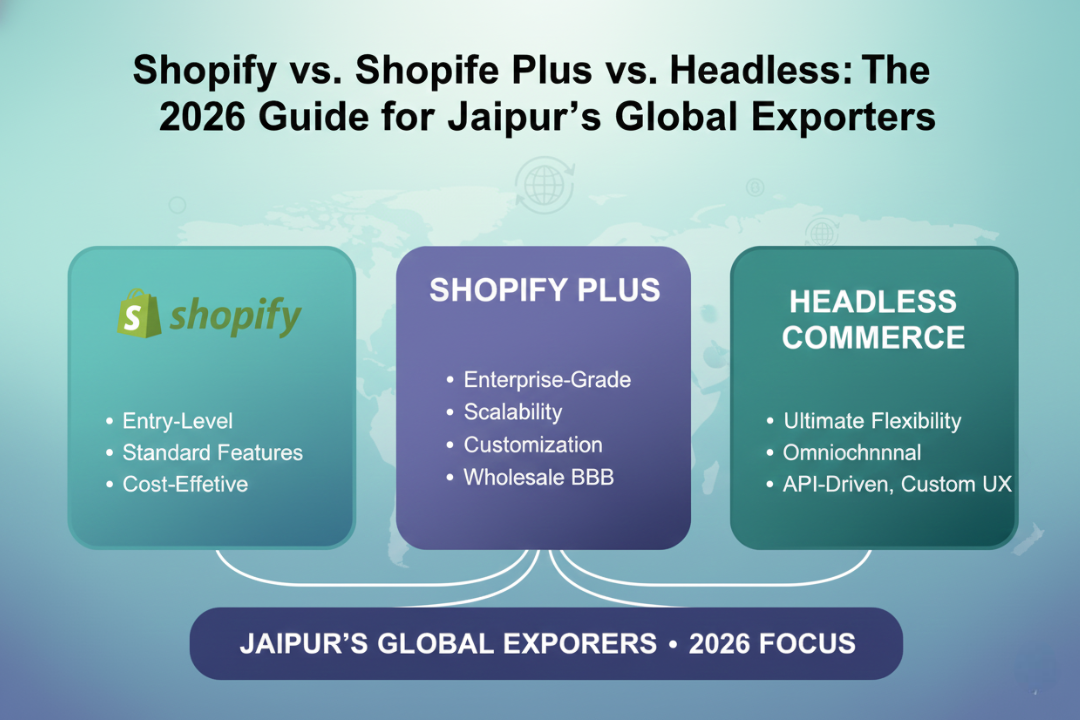
Shopify vs. Shopify Plus vs. Headless: The 2026 Guide for Jaipur’s Global Exporters

Why Standard Shopify Themes Are Failing in 2026

Standard Shopify themes are failing in 2026 because they cannot handle global speed, localization, and exporter-level scalability.

Exporters from Jaipur, Rajasthan in the Jewelry, Handicraft, and Textile sectors are competing globally.
International buyers now expect websites to load under 2.5 seconds, support local currencies, and offer region-specific catalogs.

With over 10+ years of experience building eCommerce systems for exporters in Jaipur, Website Design Jaipur consistently sees standard Shopify themes fail once:

  • Traffic exceeds 120,000+ monthly sessions
  • SKU count crosses 400+
  • Multiple currencies and international warehouses are required

Which Commerce Platform Is Right for Jaipur Exporters?

Shopify works for small sellers, Shopify Plus is essential for exporters, and Headless Commerce is the global growth engine.

Business Stage Recommended Platform
Domestic or early exports Shopify
Scaling exporters from Jaipur Shopify Plus
Premium global brands Headless + Shopify Plus

Technical Comparison: Shopify vs Shopify Plus vs Headless

Shopify Plus and Headless outperform standard Shopify by 3–5x in speed, flexibility, and international readiness.

Feature Shopify Shopify Plus Headless Commerce
Checkout Customization Limited Advanced Unlimited
Multi-Currency Pricing Partial Native Native
Expansion Stores No Yes (Up to 9) Unlimited
Average Global LCP 3.8–4.5s 2.5–3s <1.2s
Frontend Technology Liquid Liquid + Functions React.js + Hydrogen

Limitations of Standard Shopify for Exporters

Standard Shopify is only suitable for Jaipur exporters with low volume and single-market focus.

For exporters in Rajasthan, Shopify works only when revenue is under ₹40L/month and exports are limited to 1–2 countries.
Once wholesale pricing, country-based catalogs, or large SKU counts are introduced, Liquid-based themes become restrictive.

Why Shopify Plus Is Mandatory for Jaipur Exporters

Shopify Plus is mandatory for Jaipur exporters managing international currency and multi-store operations.

Shopify Plus solves the core export challenges faced by Jaipur-based businesses:

  • Native multi-currency checkout
  • Multiple international storefronts
  • Advanced automation using Shopify Flow
  • Custom checkout logic via Shopify Functions

Jaipur exporters need Shopify Plus to manage INR procurement and USD/EUR revenue efficiently.

Exporters from Jaipur face unique challenges such as INR-based manufacturing and foreign currency sales.
Shopify Plus allows centralized control of pricing, inventory, and taxation across multiple countries from a single backend.

Headless Commerce for Global Performance

Headless Commerce removes Liquid limitations and enables enterprise-grade global performance.

Headless commerce decouples the frontend from Shopify’s backend, allowing full control over speed, UX, and integrations.
This is critical for premium Jewelry and Textile exporters from Rajasthan.

Hydrogen with React.js delivers sub-1.2s global load times and is the gold standard for speed.

We build Headless storefronts using Shopify Hydrogen combined with React.js, Vite, and Shopify Oxygen hosting.

Metric Liquid Theme Hydrogen Headless
LCP 3.9s 1.1s
TTFB 800ms 120ms

Our Technical Expertise for Exporters

We use React.js and Laravel together to build exporter-grade custom systems.

As a Jaipur-based agency with over a decade of experience, we build scalable systems using React.js for frontend and Laravel for backend architecture.

Custom CRM systems are essential for exporters managing buyers, pricing, and logistics.

We develop fully integrated Custom CRM solutions for Jaipur exporters to manage:

  • Buyer-wise pricing tiers
  • Export documentation
  • Inventory forecasting
  • International payment reconciliation

Cost vs ROI for Jaipur Exporters

Shopify Plus and Headless investments typically recover costs within 6–9 months.

Investment ROI Timeline
Shopify Plus 3–4 months
Headless Upgrade 6–9 months
Custom CRM 9–12 months

Final Recommendation for Jaipur’s Global Exporters

For Jaipur exporters, Shopify Plus is mandatory and Headless Commerce is the long-term advantage.

Exporters from Jaipur, Rajasthan aiming for global scale should treat commerce architecture as a growth engine, not a template choice.

Need the right Shopify architecture for your export business?

If you are an exporter based in Jaipur, Rajasthan and planning to scale globally, our team at Website Design Jaipur can help you choose and implement the right Shopify, Shopify Plus, or Headless solution.

Talk to Our Shopify Experts in Jaipur

Frequently Asked Questions (FAQ) for Jaipur Exporters

Q 1. Shopify Plus is better for exporters because it supports native multi-currency checkout and multi-store management.

Ans: For exporters in Jaipur, Rajasthan, Shopify Plus allows selling in USD, EUR, and AED while managing inventory, pricing, and operations from a single backend, which standard Shopify cannot handle at scale.

Q 2. Standard Shopify themes fail for global exporters due to Liquid limitations and heavy app dependency.

Ans: Liquid-based Shopify themes struggle with speed, advanced pricing logic, and international scalability, especially for Jewelry, Textile, and Handicraft exporters from Jaipur targeting global buyers.

Q 3. Headless Commaerce improves site speed by up to 60–70% compared to traditional Shopify themes.

Ans: By using Shopify as a backend and a custom frontend built with React.js and Hydrogen, exporters from Rajasthan achieve sub-1.2s load times globally, which directly improves conversion rates.

Q 4. Hydrogen with React.js is the best frontend stack for Shopify Headless in 2026.

Ans: Hydrogen leverages React.js Server Components, Vite builds, and edge rendering to deliver faster performance and better UX for international customers shopping from the US, EU, and Middle East.

How AI Will Transform Website Development in 2026

The future of website development is evolving at a speed we’ve never seen before. With AI rapidly integrating into every stage of the development cycle, 2026 will mark a turning point where websites become smarter, faster, and more efficient to build.

AI won’t replace developers — but it will supercharge how they work, eliminating repetitive tasks, auto-generating complex code, improving testing efficiency, and optimizing user experience in real time.

In this detailed guide, let’s break down how AI will transform website development in 2026 and why businesses need to adapt early.

1. AI-Powered No-Code & Low-Code Platforms Will Become Mainstream

No-code and low-code tools already exist, but by 2026, they will evolve into powerful AI-driven platforms that can create complex applications in minutes.

What will AI no-code/low-code platforms do in 2026?

  • Auto-generate complete website layouts
  • Suggest UI/UX improvements instantly
  • Produce clean, optimized code in the background
  • Convert voice commands into full web pages
  • Customize features based on industry or business model
  • Integrate payment gateways, forms, and databases automatically

Benefits for businesses:

  • Faster project delivery
  • Lower development costs
  • No need for fully technical teams
  • Easy scaling and modifications

AI-driven visual builders will make website creation accessible to everyone — from startup founders to small businesses — without compromising quality.

2. AI Will Automate Debugging & Fix Code in Real Time

Debugging is one of the most time-consuming stages of development.

In 2026, AI-powered debugging assistants will change that forever.

How AI will transform debugging:

  • Detect bugs instantly while writing code
  • Suggest fixes automatically
  • Predict issues before deployment
  • Flag security vulnerabilities
  • Improve code speed and performance
  • Eliminate redundant or outdated code

Examples of AI debugging behaviours:

  • “Your API request may fail due to missing authentication header.”
  • “This CSS rule causes layout shifts on mobile.”
  • “This function has a memory leak; here’s an optimized version.”

Developers will spend less time searching for errors and more time building innovative solutions.

3. Automated Testing Will Become Fully AI-Driven

Testing will shift from manual and semi-automated to fully autonomous.

AI Testing Capabilities in 2026:

  • Generate test cases automatically
  • Run thousands of tests in minutes
  • Perform regression testing with zero manual effort
  • Simulate real-world user behavior
  • Predict how design changes affect user interaction
  • Auto-fix UI inconsistencies

Why this matters:

  • Faster delivery timelines
  • Higher quality websites
  • Fewer post-launch issues
  • Improved security and stability

AI testing systems will ensure websites work perfectly across all devices, browsers, and screen sizes without human intervention.

4. AI Will Personalize Website Design & UX Automatically

In 2026, websites will adapt instantly based on user behavior.

AI-driven personalization will include:

  • Dynamic layouts depending on user intent
  • Smart recommendations based on user history
  • Adaptive UI elements for different audiences
  • Automated color & font combinations
  • Real-time chatbot integration
  • Accessibility improvements for special needs users

User experience will become adaptive:

Instead of static websites, AI will create living interfaces that evolve with users and business goals.

5. AI Will Write & Optimize Code Faster Than Humans

AI-powered code assistants will become a daily tool for developers.

What AI coding tools will do:

  • Generate entire components or modules
  • Rewrite old code into modern standards
  • Suggest best-practice architectural patterns
  • Integrate APIs automatically
  • Optimize performance and security
  • Document code automatically

This will allow developers to focus on logic, creativity, and architecture instead of repetitive tasks.

6. AI Will Predict Website Performance & User Behavior

Predictive analytics will guide the entire development process.

AI will predict:

  • Bounce rates
  • Page loading issues
  • User navigation patterns
  • High-traffic periods
  • Which features users interact with most
  • Heatmaps and scroll depth

This data helps developers make smarter design and content decisions.

7. Smarter Cybersecurity With AI Monitoring

In 2026, cybersecurity won’t depend only on human monitoring.

AI will handle:

  • Early detection of threats
  • Blocking suspicious logins
  • Preventing bot attacks
  • Monitoring real-time vulnerabilities
  • Auto-repairing at-risk code
  • Protecting payment gateways and user data

AI algorithms will keep websites secure 24/7.

8. AI-Powered Content & SEO Optimization

Content and SEO will also be handled by AI tools in 2026.

What AI will optimize:

  • SEO-friendly headings
  • Keyword placement
  • Page speed
  • Image compression
  • Metadata generation
  • Schema markup
  • Internal linking
  • Readability improvements

Websites will be able to rank faster with AI-assisted optimization.

9. Voice-Activated & Conversational Interfaces Will Rise

By 2026, many users will browse websites using voice commands.

AI will help developers build:

  • Voice-enabled search
  • Voice-controlled navigation
  • Conversational forms
  • Smart AI-powered chat systems

This will make websites more accessible and interactive.

10. The Developer Role Will Shift — But Not Disappear

AI will not replace developers, but it will transform their roles.

Developers in 2026 will focus on:

  • Strategy & technology decisions
  • Custom logic that AI cannot generate
  • System architecture
  • Human creativity, branding, emotions
  • Integrations & advanced functionalities

AI will handle 70–80% of repetitive tasks; humans will do the thinking and creativity.

Conclusion

AI will reshape every part of the website development industry in 2026 — from coding and debugging to UX design, SEO, testing, and security.

Businesses that adopt AI early will build websites faster, cheaper, and with far higher quality.

The future belongs to those who evolve with technology, and AI is leading that evolution.

FAQs

Q1. Will AI replace web developers?

Ans. No. AI will automate tasks, but developers will still be needed for strategy, creativity, and custom logic.

Q2. What are AI no-code tools?

Ans. Platforms that let users create websites or apps using visual builders powered by AI.

Q3. How will AI help debugging?

Ans. AI will detect errors instantly, suggest fixes, and prevent issues before deployment.

Q4. Can AI automatically test websites?

Ans. Yes, AI will run thousands of test cases, detect issues, and optimize UI/UX automatically.

Q5. How will AI impact SEO?

Ans. AI will analyze keywords, generate metadata, improve speed, and ensure websites meet ranking factors.

Q6. Are AI websites safe?

Ans. Yes, because AI monitors threats in real time and fixes vulnerabilities faster than humans.

Q7. Should businesses adopt AI tools now?

Ans. Absolutely — early adoption gives better speed, cost efficiency, and future readiness.

Hostinger Coupon Code India 2025 – Get 20% OFF on Hosting Plans [Exclusive Deal]

💥 Best Hostinger Coupon Code India 2025 – Get 20% OFF

If you’re searching for the best Hostinger coupon code in India for 2025, you’re in the right place.
Web hosting prices keep increasing, but with our exclusive 20% referral discount, you can start your website or online business for less than ₹150/month.

👉 Click here to activate your 20% OFF Hostinger deal now
(Limited-time offer for new users)


🚀 Why You Should Use Hostinger in 2025

Hostinger is one of the most popular and affordable web hosting providers globally, especially trusted by Indian developers, bloggers, and business owners. Here’s why:

✅ 1. Lightning-Fast Speed

Hostinger uses LiteSpeed servers and NVMe SSD storage, making your website load up to 3x faster than traditional hosting. Faster sites = better SEO rankings.

✅ 2. Free Domain + SSL

Most plans include a free domain name and lifetime SSL certificate — saving extra ₹800–₹1,000.

✅ 3. hPanel – Simpler Than cPanel

Their custom hPanel is beginner-friendly. You can install WordPress, create emails, or manage databases with one click.

✅ 4. 24/7 Live Chat Support

Stuck with something? Hostinger’s experts are available round the clock via live chat.

✅ 5. Value for Money

Even without coupons, Hostinger is cheap — but with this exclusive referral link, you save 20% extra instantly.

👉 Activate 20% OFF Hostinger Hosting in India


💰 Available Hostinger Plans (With Discounted Prices)

Here’s a quick overview of Hostinger’s hosting plans that you can grab with the coupon:

Plan Type Ideal For Key Features After 20% OFF (Approx.)
Premium Shared Hosting Beginners, blogs Free domain, SSL, 100 GB SSD ₹149/month
Business Shared Hosting Small businesses Daily backups, 200 GB SSD ₹249/month
Cloud Hosting High-traffic sites Dedicated resources, faster load ₹999/month
VPS Hosting Developers Full root access, scalable ₹399/month
WordPress Hosting Bloggers Pre-optimized for WordPress ₹159/month

👉 Claim 20% OFF Hostinger Plans Now


🧭 How to Use the Hostinger Coupon Code in India

Follow these steps to claim your discount successfully:

Step 1 – Visit the Offer Page

Click this referral link:
👉 Activate Hostinger 20% OFF

Step 2 – Choose Your Plan

Select a plan that fits your needs.
For most users, Premium Shared Hosting offers the best value.

Step 3 – Select Billing Cycle

The longer you choose (e.g., 12 or 48 months), the more you save overall.

Step 4 – Create Account

Sign up using your email or Google account.

Step 5 – Complete Payment

The 20% discount applies automatically at checkout — no promo code needed.

🎉 Congratulations! You just saved 20% on world-class hosting.


❓ Hostinger Coupon Code India 2025 – FAQs

Is this Hostinger coupon valid for Indian users?

Yes. This referral offer works perfectly for Indian users purchasing through hostinger.in.

Do I need a promo code?

No code required. The 20% discount is auto-applied when you visit via this referral link:
👉 Get 20% OFF Hostinger Hosting

Can I use UPI, Paytm, or Razorpay?

Yes! Hostinger supports all major Indian payment methods including UPI, Paytm, Razorpay, credit/debit cards, and net banking.

Is the discount valid on all hosting types?

Yes — Shared, Cloud, WordPress, and VPS hosting all qualify.

Will I still get Hostinger’s free domain and SSL?

Absolutely. You get all default features + the extra 20% discount.


⭐ Real Customer Reviews (India)

⭐⭐⭐⭐⭐ “I switched from GoDaddy to Hostinger — unbelievable speed for this price!” — Priya Mehta, Delhi

⭐⭐⭐⭐⭐ “Hostinger’s 24×7 support actually helped me fix a site issue at 2AM. Best support!” — Rahul S., Mumbai

⭐⭐⭐⭐ “Great uptime, clean interface, and super affordable with coupon discount.” — Ramesh P., Bangalore


🏁 Final Thoughts – Best Hosting Discount in India

If you’ve been waiting to launch your website, blog, or store — now is the best time.
Hostinger offers everything you need: speed, reliability, free domain, and extra 20% off with our verified link.

Don’t miss this limited offer — it’s your best chance to save big in 2025.

👉 Click here to claim your 20% Hostinger discount now!

How to Make Your Website Load Faster (Without a Developer)

Did you know?

A 1-second delay in page load can reduce conversions by 7% and increase bounce rates significantly.

In 2025,website speed isn’t a luxury — it’s a must.

The good news? You don’t always need a developer to improve it.

Here aresimple, actionable steps you can take yourself to make your website load faster — without touching a single line of code.

10 Easy Ways to Improve Website Speed (DIY)

1. Compress Your Images

Problem: Large image files slow down pages.

Fix: Use free tools like TinyPNG or ImageCompressor to reduce image sizewithout losing quality.

Bonus tip: Use WebP format for faster loading and better compression.

2. Use a Caching Plugin

If you’re onWordPress, install a plugin like:

  • WP Fastest Cache
  • LiteSpeed Cache
  • W3 Total Cache

These store static versions of your pages, reducing server load.

No coding needed — just install, activate, and configure basic settings.

3. Choose a Lightweight Theme

Bloated themes = heavy load times.

Use optimized themes like:

  • Astra
  • GeneratePress
  • Neve

They’re minimal, fast, and compatible with most page builders.

4. Limit Plugins

Too many plugins = slower site.

Audit your plugin list anddeactivate/delete the ones you don’t really use.

If it’s not essential, remove it.

5. Enable Lazy Loading

Lazy loading means images or videos loadonly when they appear on screen — reducing initial load.

Most modern builders or caching plugins offer this feature with just a toggle.

6. Use a CDN (Content Delivery Network)

A CDN delivers your site content from serversclosest to your visitors.

Free options:

  • Cloudflare
  • Jetpack CDN (for images)

Ideal for websites with global visitors.

7. Minimize Homepage Content

Your homepage doesn’t need to show everything.

Keep it:

  • Clean
  • Focused
  • Lightweight

Avoid auto-playing videos or unnecessary sliders.

8. Keep WordPress & Plugins Updated

Outdated code may slow down your site (and pose security risks).

Go toDashboard > Updates and make sure everything is current.

9. Remove Unused CSS/JS

Even without code knowledge, you can use plugins like:

  • Asset CleanUp
  • Perfmatters (paid)

These let you disable unused scripts on specific pages.

10. Test Your Speed & Improve Gradually

Use tools like:

  • PageSpeed Insights
  • GTmetrix
  • Pingdom

Focus on the most critical issues — don’t chase 100%, just aim forunder 2-3 seconds load time.

Final Thoughts from WebsiteDesignJaipur

You don’t have to be a developer to make your website faster.

With the right tools and basic know-how,you can significantly improve speed, user experience, and even your Google rankings.

AtWebsiteDesignJaipur, we help businesses build lightning-fast websites that convert. Whether you’re on WordPress or Shopify, we offer performance audits, optimization, and redesigns if needed.

Frequently Asked Questions (FAQs)

Q1. How do I check my website speed?

Ans. Use free tools likeGoogle PageSpeed Insights,GTmetrix, orPingdom. They give detailed reports and suggestions.

Q2. Do I need to hire a developer for speed optimization?

Ans. Not always. Most basic optimizations (like image compression, caching, lazy loading) can be done using simple plugins or tools.

Q3. Will speed really affect my Google rankings?

Ans. Yes. Website speed is aconfirmed ranking factor and also improvesCore Web Vitals, which Google uses to measure user experience.

Q4. What is a good page load time?

Ans. Ideally under2 seconds. Anything above3 seconds risks high bounce rates.

Q5. Can WebsiteDesignJaipur help speed up my site?

Ans. Absolutely! We offer professional speed audits, optimization services, and performance-focused redesigns for WordPress & Shopify.

10 Web Design Mistakes That Could Be Killing Your Conversions

A beautiful website doesn’t always mean a high-performing one.

If you’re getting traffic but not seeing sales, leads, or engagement, chances are your web design is silently failing your business. Poor design choices frustrate users, increase bounce rates, and drive potential customers away — often before they even read your content.

Here are 10 critical web design mistakes you should avoid in 2025 if you want better conversions and happier visitors.

1. Slow Loading Speed

Problem:
Visitors leave if your site takes more than 3 seconds to load.

Fix it:

  • Optimize images
  • Use proper caching
  • Choose fast hosting
  • Minimize plugins

A fast website = lower bounce rate + higher conversions.

2. Poor Mobile Responsiveness

Problem:

If your site looks broken on mobile, 60%+ of users won’t bother staying.

Fix it:

  • Use responsive frameworks
  • Test across devices
  • Avoid horizontal scrolling

Mobile-first design is not optional anymore — it’s essential.

3. Confusing Navigation

Problem:

Users can’t find what they’re looking for = they leave.

Fix it:

  • Keep menu simple and consistent
  • Add search functionality
  • Highlight key pages (contact, services, etc.)

Confused visitors never convert.

4. Weak Call-to-Actions (CTAs)

Problem:

No clear next step = no action from the visitor.

Fix it:

  • Use strong, action-oriented CTAs (“Get a Free Quote”, “Start Now”)
  • Make CTAs visible and repeat where needed

Every page should have a clear goal.

5. Overuse of Pop-Ups

Problem:

Too many pop-ups annoy users and damage credibility.

Fix it:

  • Use timed or exit-intent popups
  • Don’t interrupt the user too early
  • Make closing easy

Popups should help, not hijack attention.

6. Cluttered or Unreadable Layout

Problem:

Too much info, too close together = visual fatigue.

Fix it:

  • Use white space
  • Maintain consistent font hierarchy
  • Keep sections clean and focused

Less is more. Clarity converts.

7. No Trust Signals

Problem:

Lack of reviews, testimonials, or certifications makes visitors hesitate.

Fix it:

  • Add client logos, testimonials, reviews
  • Use secure payment badges
  • Highlight any awards or certifications

People only convert when they trust you.

8. Auto-Playing Media with Sound

Problem:

Sudden loud videos/music? Visitors bounce.

Fix it:

  • Disable autoplay with sound
  • Give users control over media playback

Respect user attention and environment.

9. Weak or No SEO Structure

Problem:

Bad heading hierarchy, missing meta tags, or poor internal linking hurts discoverability.

Fix it:

  • Use H1, H2, H3 properly
  • Optimize URLs, meta tags
  • Add internal links smartly

Design and SEO must work together.

10. Not Testing & Updating Regularly

Problem:

Outdated design or bugs can quietly kill your UX and trust.

Fix it:

  • Run regular usability tests
  • Update plugins/themes
  • Use analytics to find drop-off points

A high-converting website is never “done” — it’s maintained.

Final Thoughts from WebsiteDesignJaipur

Your website isn’t just your online brochure — it’s your digital salesperson.

By fixing these common web design mistakes, you can turn casual visitors into loyal customers and significantly improve your ROI.

At WebsiteDesignJaipur, we help businesses create strategic, high-converting websites — with clean design, fast load times, and built-in trust.

Frequently Asked Questions (FAQs)

Q1. Why is my website not converting visitors?

Ans. It could be due to poor UX, slow load times, unclear CTAs, or weak mobile experience. A professional audit can pinpoint exact issues.

Q2. How do I know if my website is mobile-friendly?

Ans. Use Google’s Mobile-Friendly Test or open your site on different devices. If users need to zoom or scroll sideways — it’s not mobile-friendly.

Q3. Should I redesign or just fix the mistakes?

Ans. If your site is outdated or not aligned with your goals, a redesign is better. If the structure is solid, targeted fixes may be enough.

Q4. How often should I update my website design?

Ans. A full redesign every 2–3 years is common, but regular content and performance updates should happen monthly.

Q5. Can WebsiteDesignJaipur help fix these issues?

Ans. Absolutely! We offer professional website audits, redesigns, and optimization services tailored to your goals.

Shopify vs WooCommerce: Which One is Right for You in 2025?

When it comes to launching an online store, two platforms dominate the eCommerce world — Shopify and WooCommerce. Both are powerful, but they serve different types of businesses with distinct needs.

Choosing the right platform is crucial to your online success, and in this post, we break it down for you based on features, pricing, ease of use, customization, and more.

Let’s dive in.

What Is Shopify?

Shopify is a fully hosted eCommerce platform that provides everything out of the box — from hosting and security to design and payment integration.

>Key Traits:

  • Subscription-based (monthly)
  • Quick setup
  • No technical knowledge required

What Is WooCommerce?

WooCommerce is an open-source plugin for WordPress that transforms your site into a powerful online store. It gives you full control over customization, design, and functionality.

Key Traits:

  • Self-hosted (you control hosting)
  • More technical flexibility
  • Ideal for businesses wanting full control

Feature-by-Feature Comparison

Feature Shopify WooCommerce
Ease of Use Very user-friendly Needs WordPress knowledge
Cost Monthly subscription + app fees Free plugin, but hosting & dev cost extra
Customization Limited without paid apps Full design & code-level control
Scalability Highly scalable Scalable with good hosting
Support 24/7 customer support Community-based + third-party support
SEO Good but limited control Full SEO control with plugins
Speed & Hosting Shopify manages everything You manage performance/hosting

Pros & Cons Summary

Shopify Pros:

  • Quick launch
  • Secure & hosted
  • Excellent customer support
  • Great app marketplace

Shopify Cons:

  • Monthly fees can add up
  • Limited design flexibility
  • Transaction fees unless using Shopify Payments

WooCommerce Pros:

  • Complete customization
  • Full control of SEO & data
  • No platform lock-in
  • Massive plugin/theme ecosystem

WooCommerce Cons:

  • Needs technical setup & maintenance
  • Hosting, backups, and security are your responsibility
  • Can get complex with custom features

Which One Should You Choose in 2025?

Choose Shopify if:

  • You want a hassle-free store setup
  • You don’t want to manage hosting or technical tasks
  • You prefer an all-in-one solution
  • You’re launching quickly and scaling fast

Choose WooCommerce if:

  • You already use WordPress
  • You want full control over design and features
  • You’re comfortable managing hosting or have a dev team
  • You want to avoid recurring platform fees

Final Verdict from WebsiteDesignJaipur

There’s no one-size-fits-all answer — it depends on your business goals, budget, and technical comfort.

At WebsiteDesignJaipur, we specialize in both Shopify and WooCommerce. Whether you want a lightning-fast Shopify store or a fully customized WordPress + WooCommerce solution, we can help you make the right move.

Frequently Asked Questions (FAQs)

Q1. Is Shopify easier to use than WooCommerce?

Yes, Shopify is easier for beginners with its drag-and-drop builder and all-in-one dashboard. WooCommerce offers more control but needs technical know-how.

Q2. Which platform is better for SEO?

WooCommerce gives more control over SEO settings, URLs, schema, and plugins like Rank Math or Yoast. Shopify has decent SEO, but it’s limited in some technical aspects.

Q3. Which is cheaper — WooCommerce or Shopify?

WooCommerce is free but requires hosting and setup. Shopify has fixed monthly pricing, which can get expensive with add-ons. Total cost depends on your specific needs.

Q4. Can I switch from Shopify to WooCommerce later?

Yes, it’s possible to migrate your store, but it requires careful planning and technical support to move products, customers, and order history safely.

Q5. Which platform is better for large-scale stores?

Both can handle large stores. Shopify handles scaling better out-of-the-box. WooCommerce can scale too — with good hosting and optimized code.

Top 5 Reasons Why Your Business Needs a Custom WordPress Website

In today’s digital-first world, your website is more than just a digital brochure — it’s your brand’s online identity. With over 43% of websites globally powered by WordPress, it remains the most trusted and flexible platform for businesses of all sizes.

But not all WordPress websites are created equal.

If you’re still relying on pre-made themes or generic templates, here’s why it’s time to invest in a custom WordPress website built for performance, flexibility, and growth.

1. Customized to Your Brand Identity

A custom WordPress website is designed from the ground up, aligning with your brand’s visual language, voice, and audience needs.

Benefits:

  • Unique layout and design
  • Consistent brand experience
  • No template limitations

Stand out in a crowded market by being truly original — not just another site using the same theme as 100 others.

2. Better Performance & Speed Optimization

Pre-built themes are often bloated with unnecessary features and scripts. A custom-built website only includes what’s needed — resulting in faster load times and better performance.

Why it matters:

  • Google rewards fast websites with better rankings
  • Users are more likely to stay on fast-loading sites
  • Improved mobile experience

Custom = lean, fast, and focused.

3. SEO Advantage from the Ground Up

With a custom WordPress site, your website is built with clean code, optimized structure, and full control over technical SEO.

Key SEO-friendly features:

  • Schema markup
  • Custom URL structures
  • Optimized heading tags
  • Better image handling and lazy loading

Start your SEO journey the right way — from the very foundation.

4. Scalable & Future-Proof

Your business will grow — and your website should grow with it. Custom WordPress sites are built to be modular and scalable, so you can add new features, pages, or tools without starting from scratch.

You can easily:

  • Add payment gateways
  • Launch landing pages
  • Integrate CRMs or APIs
  • Switch hosting without limitations

You own your site — and the freedom to evolve it.

5. Enhanced Security & Clean Code

With a custom website, there’s less reliance on third-party plugins or sketchy themes. This significantly reduces the risk of security vulnerabilities.

Built with:

  • Best coding practices
  • Minimal plugin usage
  • Role-based access and login protection

Safer. Smarter. Stronger.

Conclusion: Invest in a Website That Works For You

Your website is the most important digital asset your business has. A custom WordPress site is not an expense — it’s a strategic investment in your brand’s credibility, growth, and long-term success.

Let the experts at WebsiteDesignJaipur help you build a WordPress website that delivers real results.

Frequently Asked Questions (FAQs)

Q1. Is WordPress good for small businesses?

Ans: Yes, WordPress is ideal for small businesses due to its flexibility, scalability, and large plugin ecosystem. A custom WordPress site ensures you get only what you need — no bloat.

Q2. What is the difference between custom and template-based WordPress websites?

Ans: A template-based site uses pre-built themes, while a custom WordPress site is built from scratch — offering better performance, unique design, and tailored functionality.

Q3. How much does a custom WordPress website cost?

Ans: Cost depends on complexity, features, and design needs. At WebsiteDesignJaipur, we offer tailored packages to fit various budgets without compromising quality.

Q4. Can I manage a custom WordPress site myself?

Ans: Yes, after setup and training, most clients can manage content, media, and updates easily through the intuitive WordPress dashboard.

Q5. Is WordPress secure?

Ans: When built and maintained properly, WordPress is highly secure. Custom development minimizes plugin overload, reducing vulnerabilities.

Spinning Image